
Photos your friends took,all in one album.
Invite friends with one link, and the photos on everyone's phone come together in one album, in the order they were taken. No more “can you send me the photos?” in the group chat.


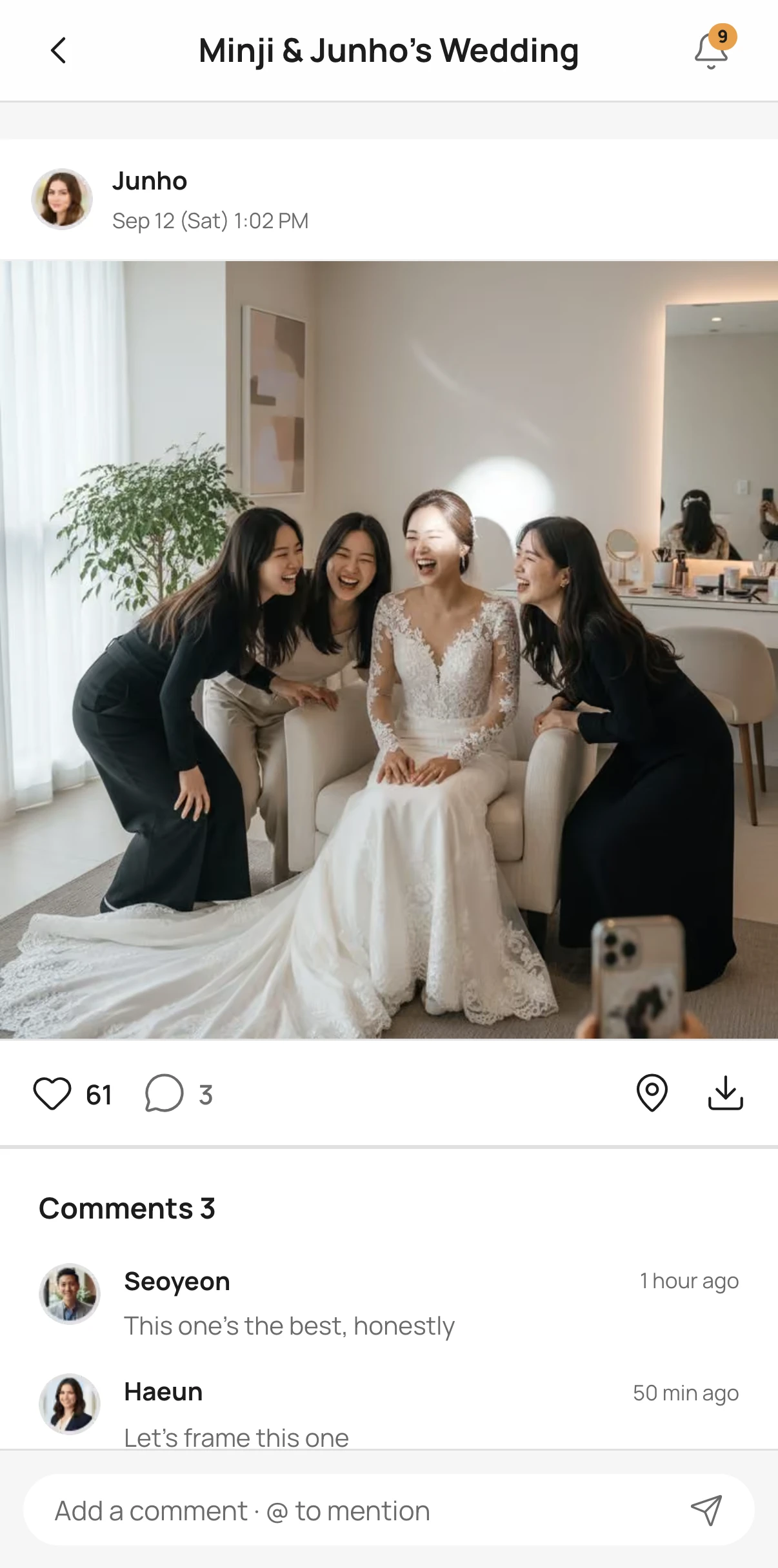
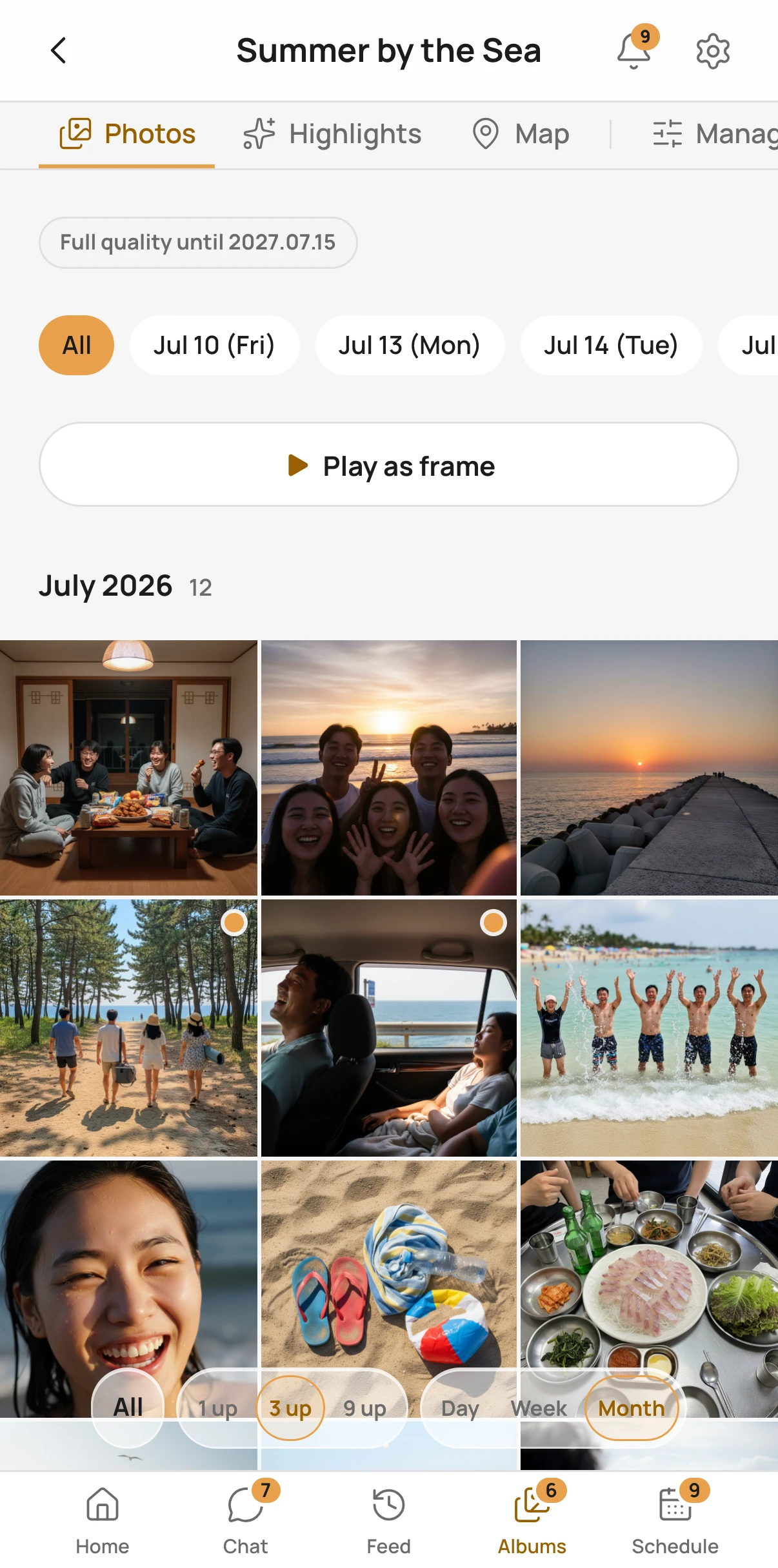
Minji added 5 memories to Summer by the Sea.
Just now
Groups, plans & chat are free
To create and to keep
135 invitation templates
Weddings · birthdays · parties · trips
Join with one link
iOS · Android · web
BEFORE → AFTER
The day after the trip —does this look familiar?
Sharing through chats and galleries
BEFORE‹ Jeju trip (4)
Jeju photos last yearJune 14, 2025Not on thisphone anymoreNot on thisphone anymoreWho has last year's photos?↑ Scrolling through a year of chat…Can't find old group photos
Scroll back through a year of chat — and they're gone when you switch phones
‹ Gallery · Recents
Duplicates
Several people send the same photo
‹ Photos & videos
Received Oct 1
No idea when it was taken
Dated by when you received it
23 / 87
Saving is a chore
Swiping through 87, saving one by one
Zoom 300%


Quality drops
“Send the original again” — every time
In a RoostDay album
AFTER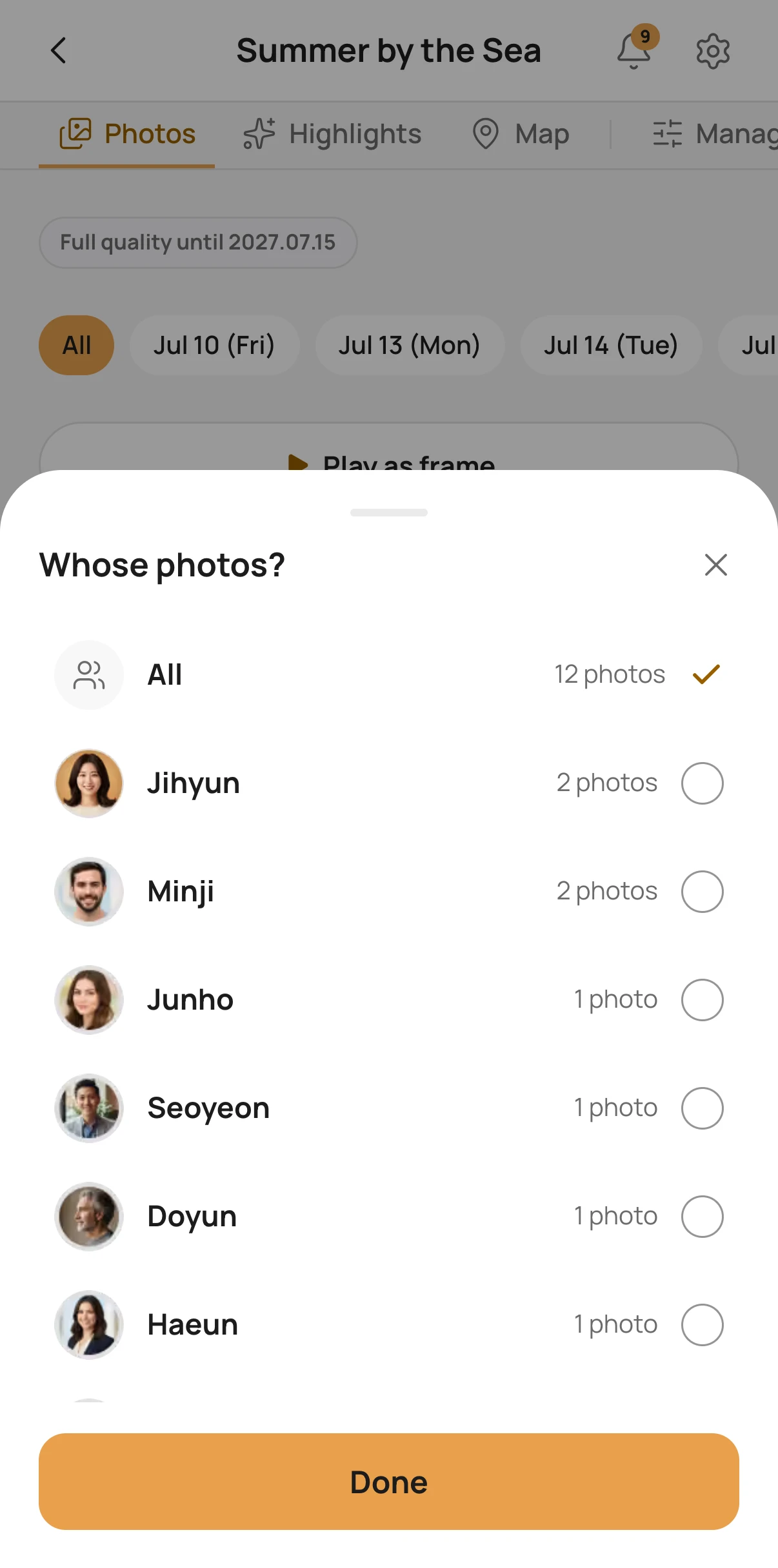
- Can't find old group photosRight there in your group's timeline, meetup by meetup
- DuplicatesThe same file is kept only once, whoever adds it. Similar shots are grouped together
- No idea when it was takenSorted by day, in the order they were taken — late adds land on their day
- Saving is a chorePick several and save them at once · anyone's photos, as originals
- Quality dropsPhotos go up as originals — no more “send it again”
BEFORE → AFTER · Tidying up
Photos keep piling up on your phone —and tidying up waits for later?
Tidying up a gallery, one photo at a time
BEFOREWith RoostDay's Library and Feed
AFTER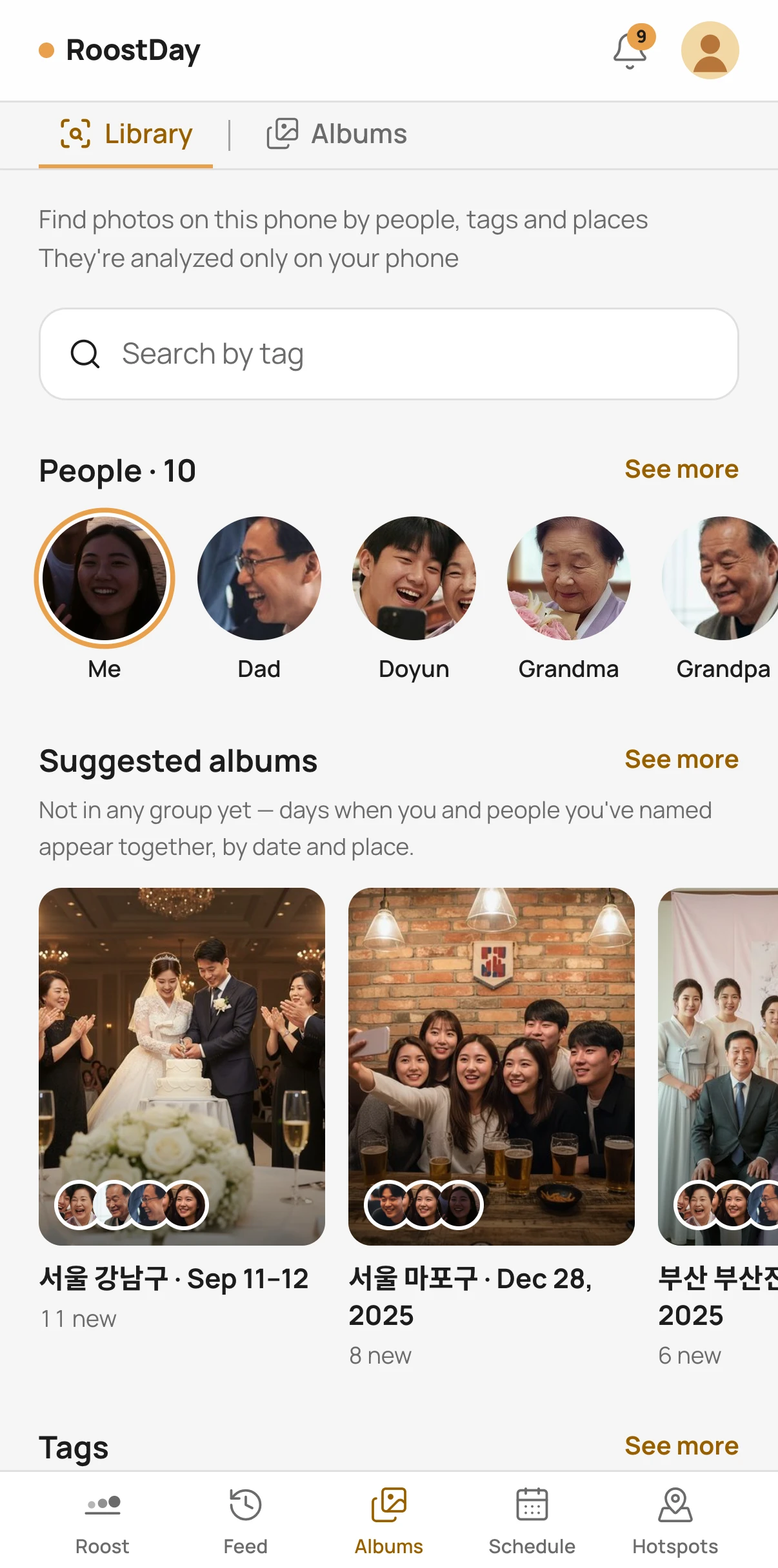 Finding one person's photosAnalyzed on your phone and grouped by people, tags and places — combine them, like “Mom · Beach”
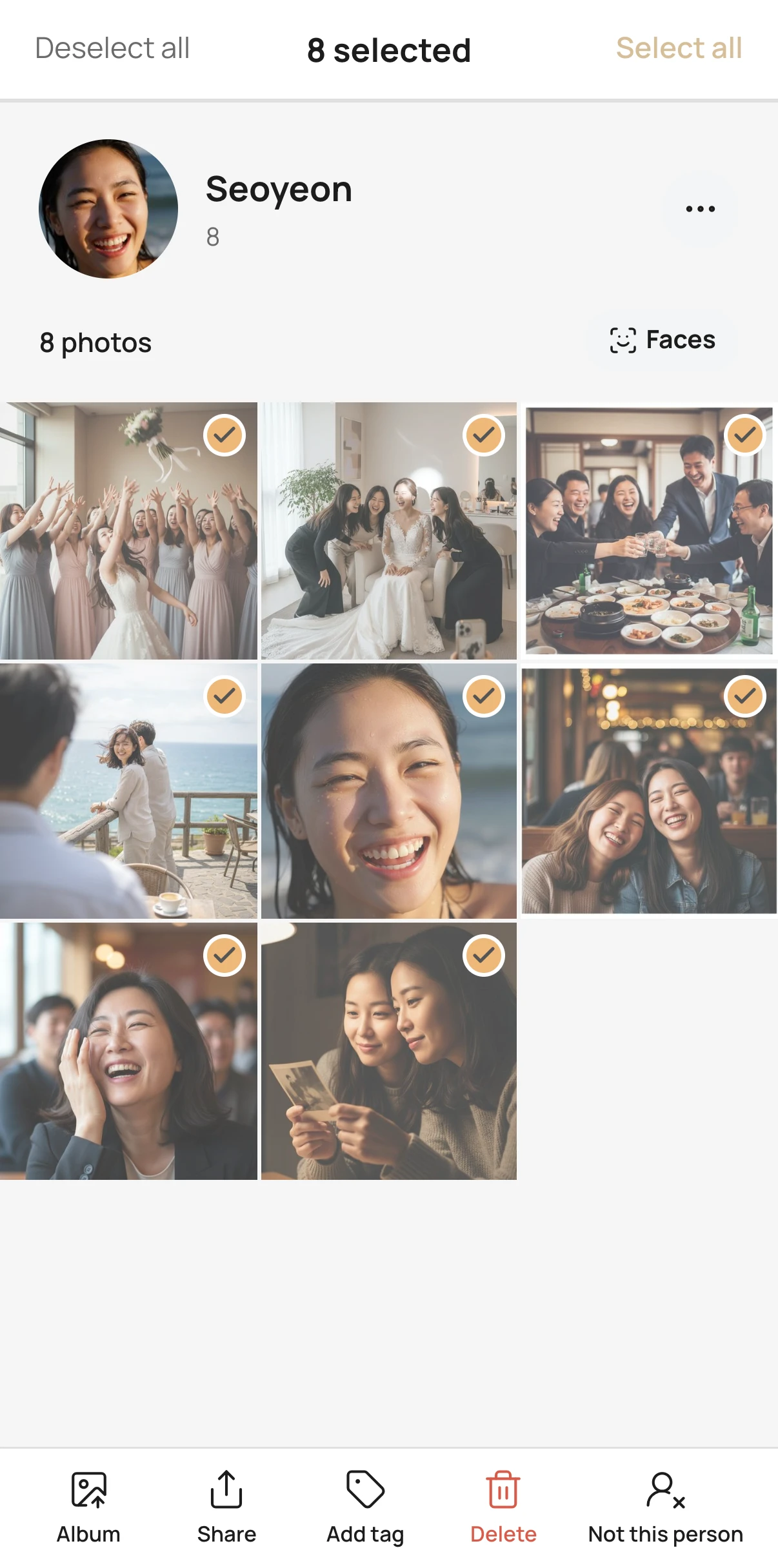 Deleting one person's photosPick that person, then Select all → Delete once · restore from the phone's trash within 30 days
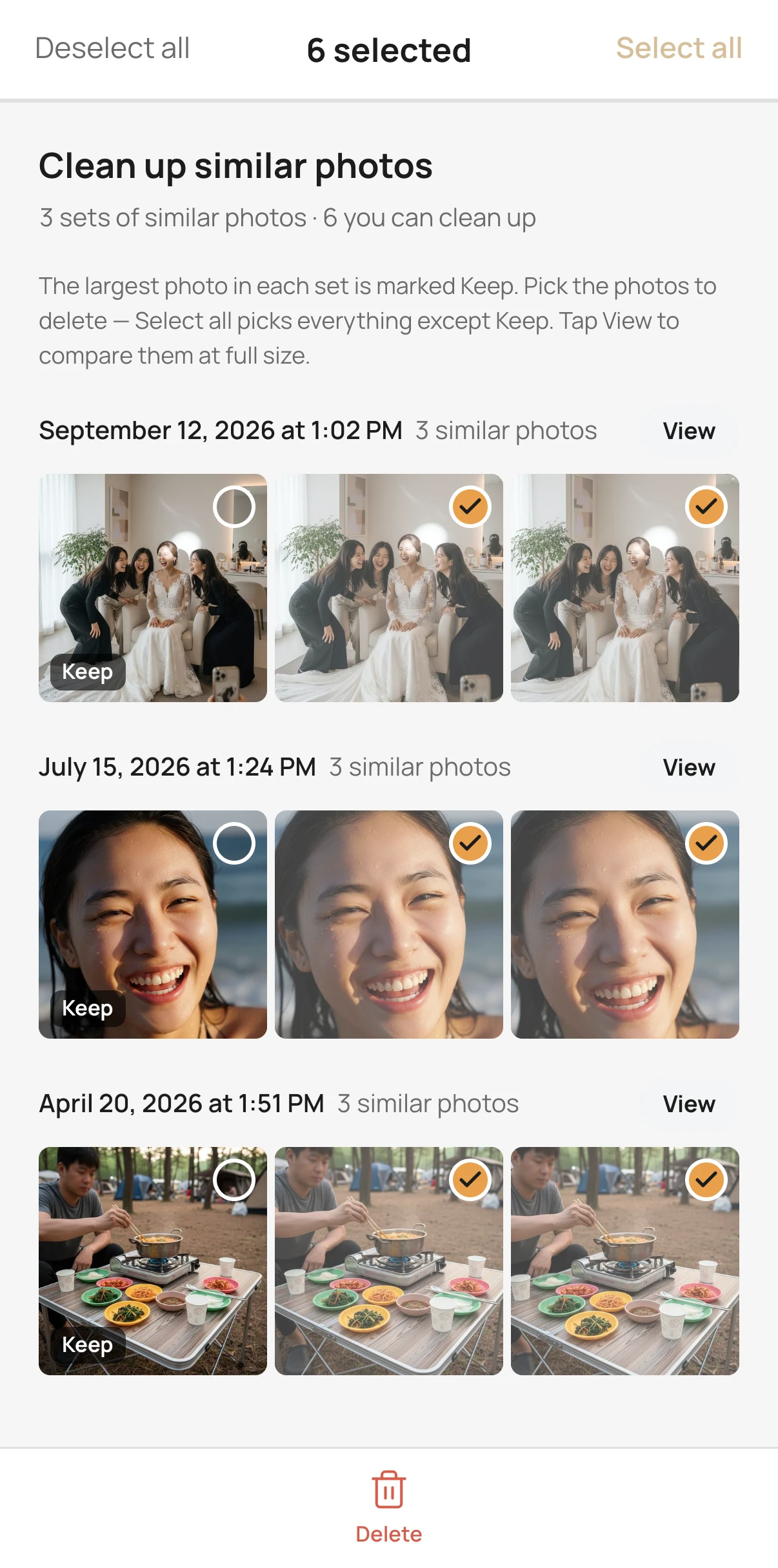 Dozens of near-duplicatesBursts are grouped with the largest marked Keep — pick the rest and delete at once
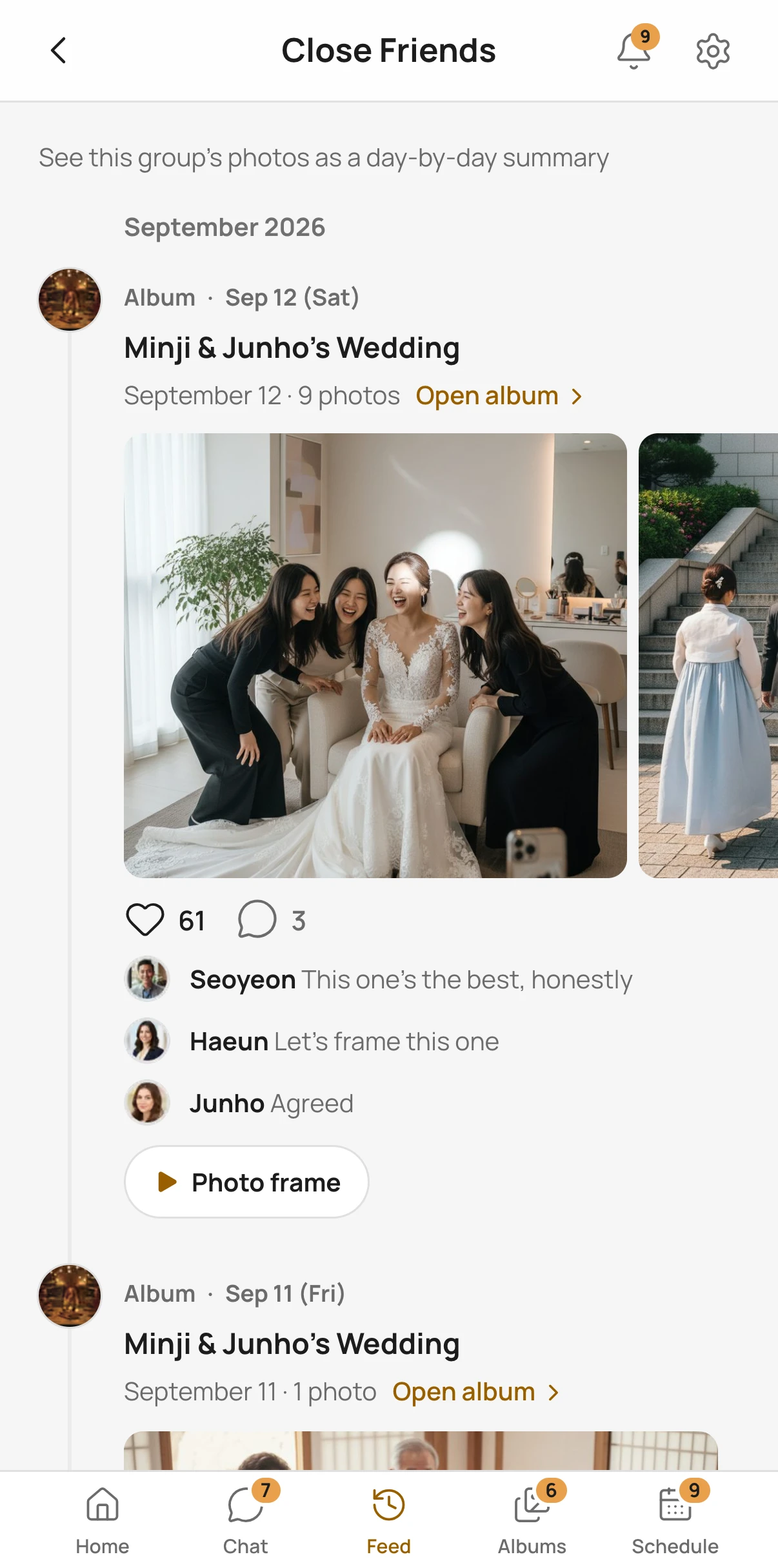 Spotting new uploadsThe Feed flips through your group's albums by day, with new uploads up front
The Library is in the app. Analysis happens on your phone only — faces, tags and locations aren't sent to our servers. Deleting from your phone leaves the photos you added to group albums as they are.
How people use it
“When would I use it?”Here's when friends do
Follow one trip
From the day you make plansto a month later, in one app
D-14
Vote on dates · split to-dos
One poll instead of “when are you free?”. Assign the stay and the rental car as to-dos
D-day
Shoot and add right away
Whoever adds them, it's the same album — and everyone gets a notification. Tick off the bucket list too
D+1
An album already sorted by day
Already in the order they were taken. Filter by who took them, and see the day's route on the map
D+20
Late finds land in place
Found more while tidying your gallery? Add them now and they slot into that day. Albums with a pass take photos for 5 years from the day you pay
Organize & share
Your phone's photos by people and tags,your group's photos shared as originals
Organize your phone — Library
In the app · analyzed on your phone onlyBy people
Faces in your phone's photos are grouped person by person. Name them, and pin yourself and the people you see most to the front
By tags
Tags like Travel, Autumn leaves, Beach, Birthdays and Dogs come from what's in each photo, and the place it was taken becomes a tag too. Add and edit tags yourself
Search by combining
Combine people, tags, places and years — like “Mom · Beach · 2025”
Suggested albums · missing photos
Days with the same people or a trip are suggested as albums, and photos missing from albums you already shared are found for you
Delete one person's photos at once
Open a person, pick every photo they're in and delete them from your phone (to the phone's trash, restorable for 30 days)
Clean up similar photos
Shots taken in a burst are grouped so you can pick the extras and delete them from your phone (to the phone's trash)
Stays on your phone
Analysis happens on your phone. Faces, tags and locations aren't sent to our servers


Organize group albums
Everyone's photos, one albumIn the order taken
Photos from many people merge by when they were taken, and late uploads drop into their place on the day
Duplicates kept once
The same file is kept once whoever adds it, and similar shots stand as one set
Camera clock fix
If someone's camera clock is off, it works out by how many minutes and offers to fix them all at once
Highlights · Feed
See the most-loved photos and the moments several people shot together, and flip through the Feed day by day with new uploads up front
Photos left on your phone
The app finds photos you took on the album's dates but haven't added yet


Share & save
With one linkBrowse without signing up
People who get a share link can look around the group's albums, photos and plans first, without signing up. Chat and the map are members only
Save as originals
Members save anyone's photos at original quality, several at once
Straight into Photos
In the app, saved photos go straight into your phone's photo library — not a zip file
Send to other apps
Send photos picked in your Library straight to the phone's share sheet
Frame · big screen
Play an album like a photo frame, or put it on a TV or PC screen to watch together


Straight from the app
Everything your group needs
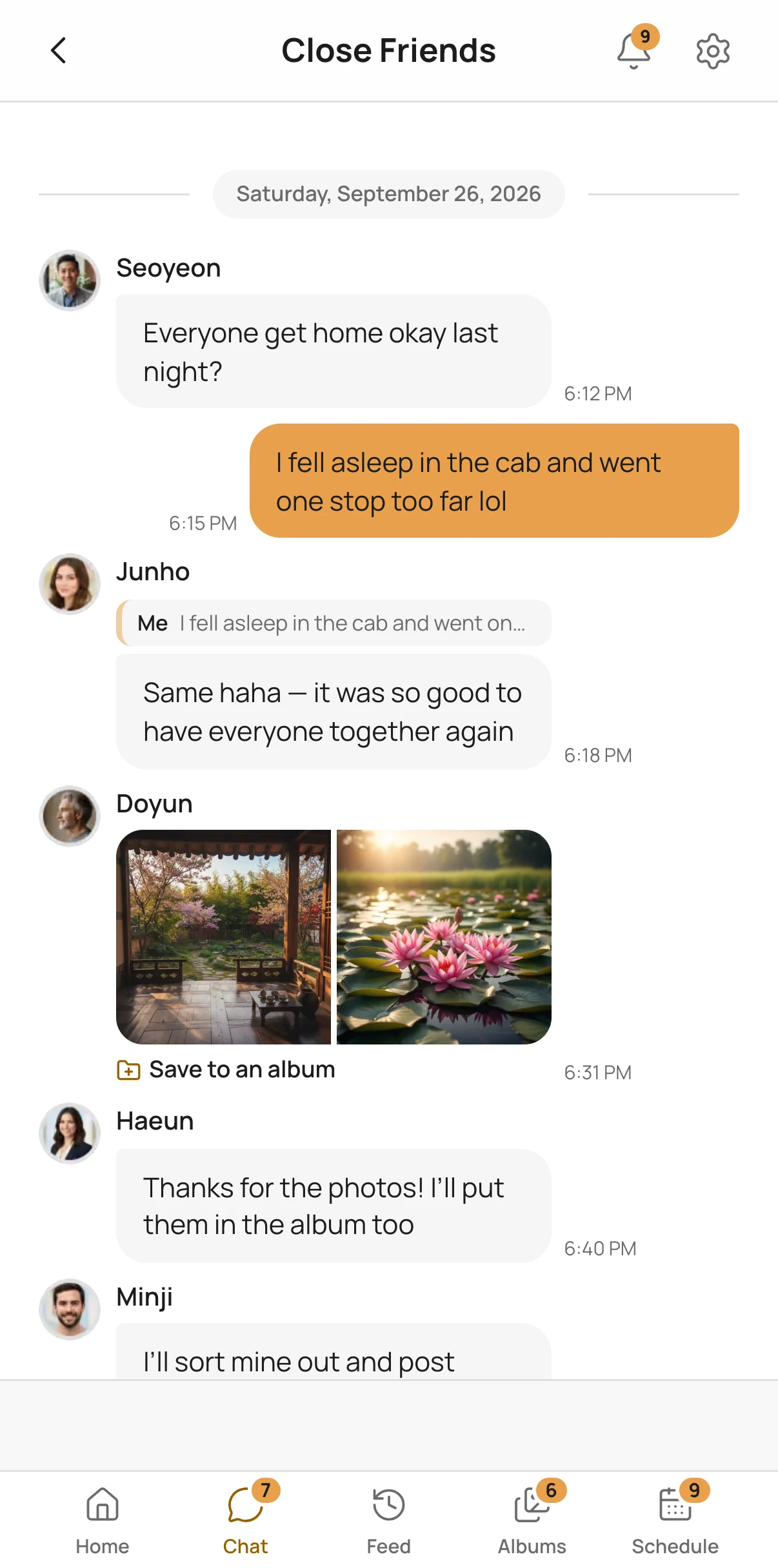
Group chat
Share photos right in the chat, and save the good ones to an album
Albums in the order they were taken
Whoever adds them, in shooting order — browse by day, week or month
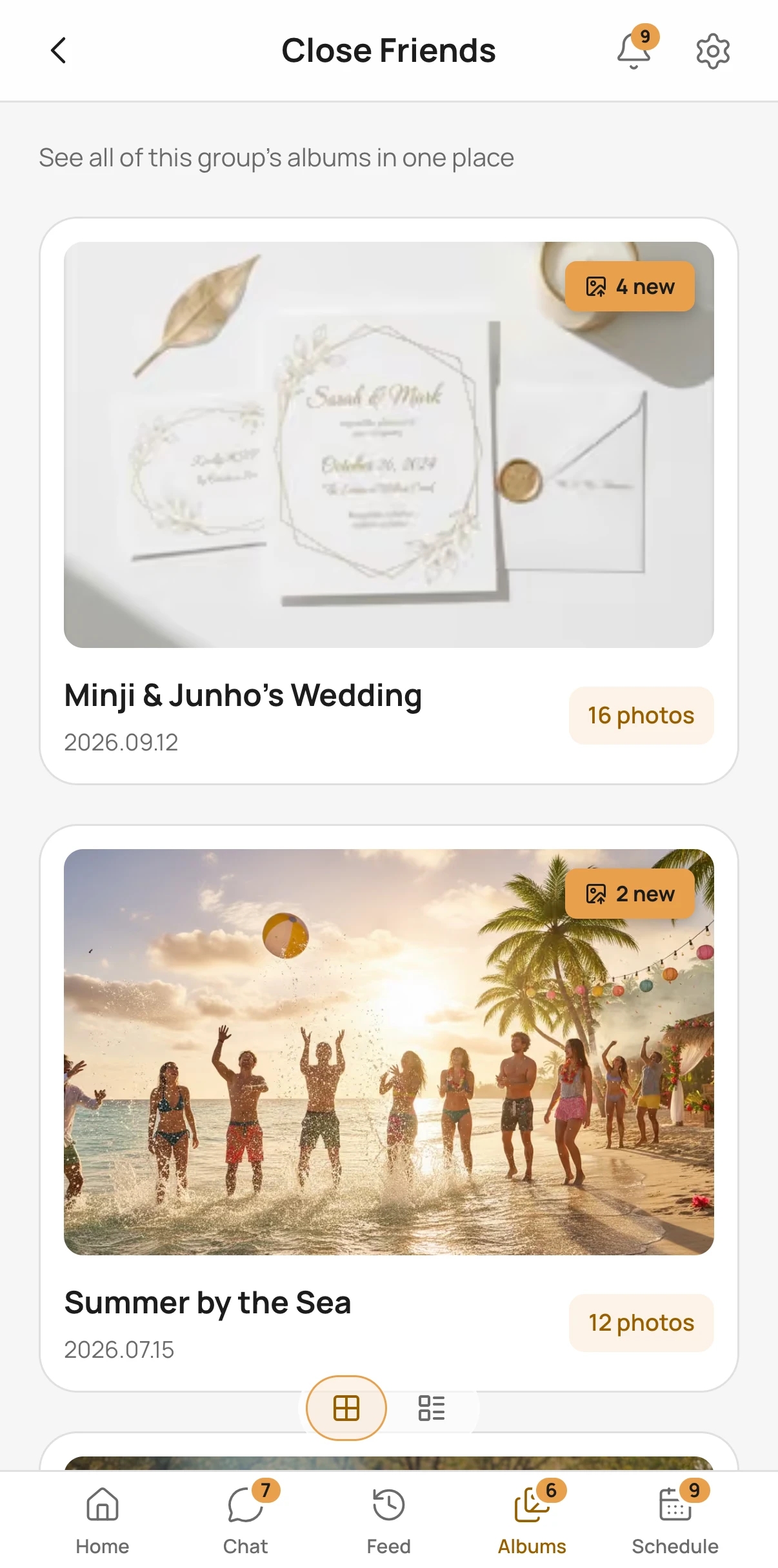
An album for every meetup
Each time you meet, one more album stacks up in your group
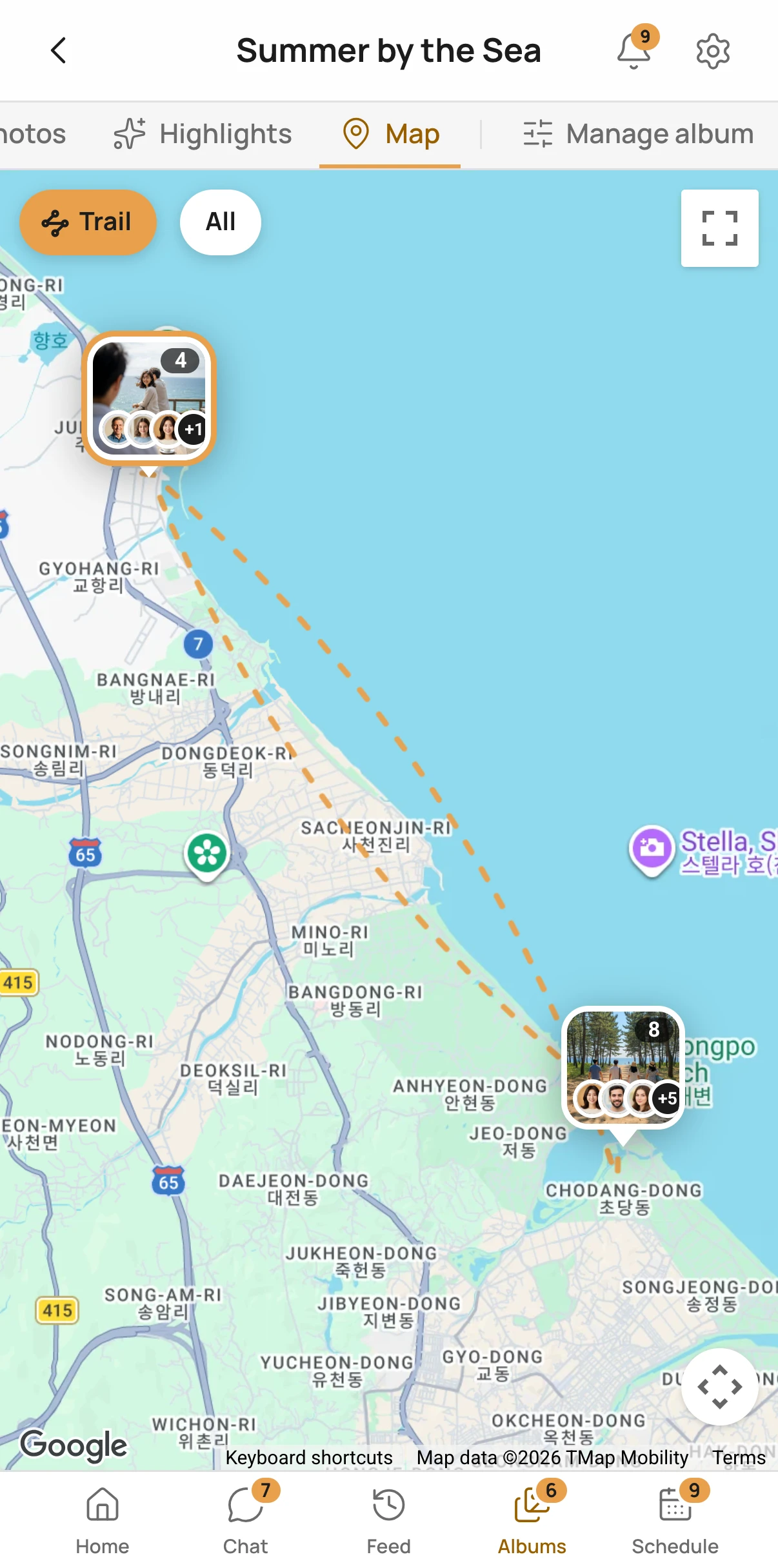
Your route on a map
Where each photo was taken, joined in time order — tap a spot to see just those photos
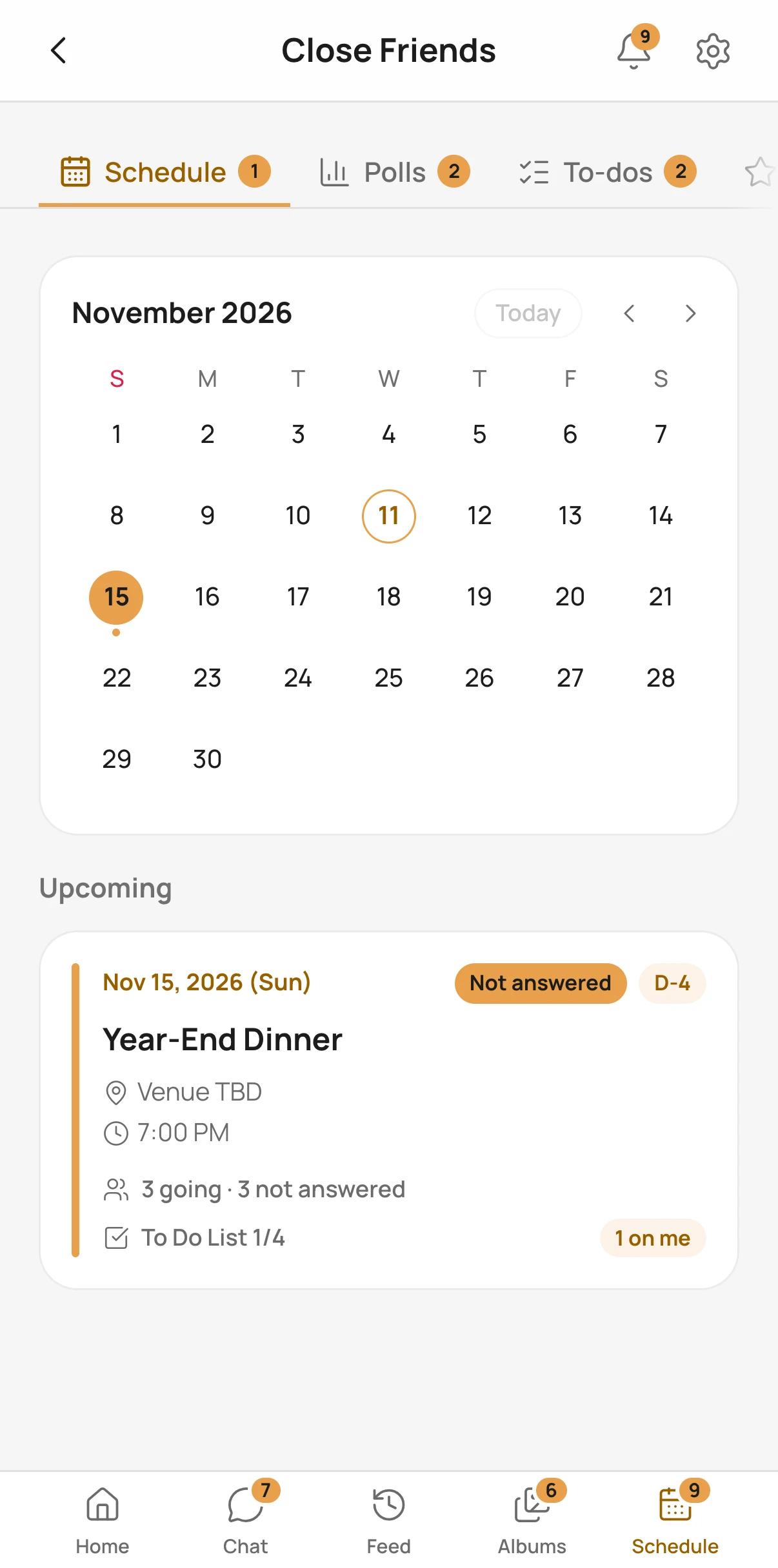
Shared calendar
What's coming up and who's going, at a glance
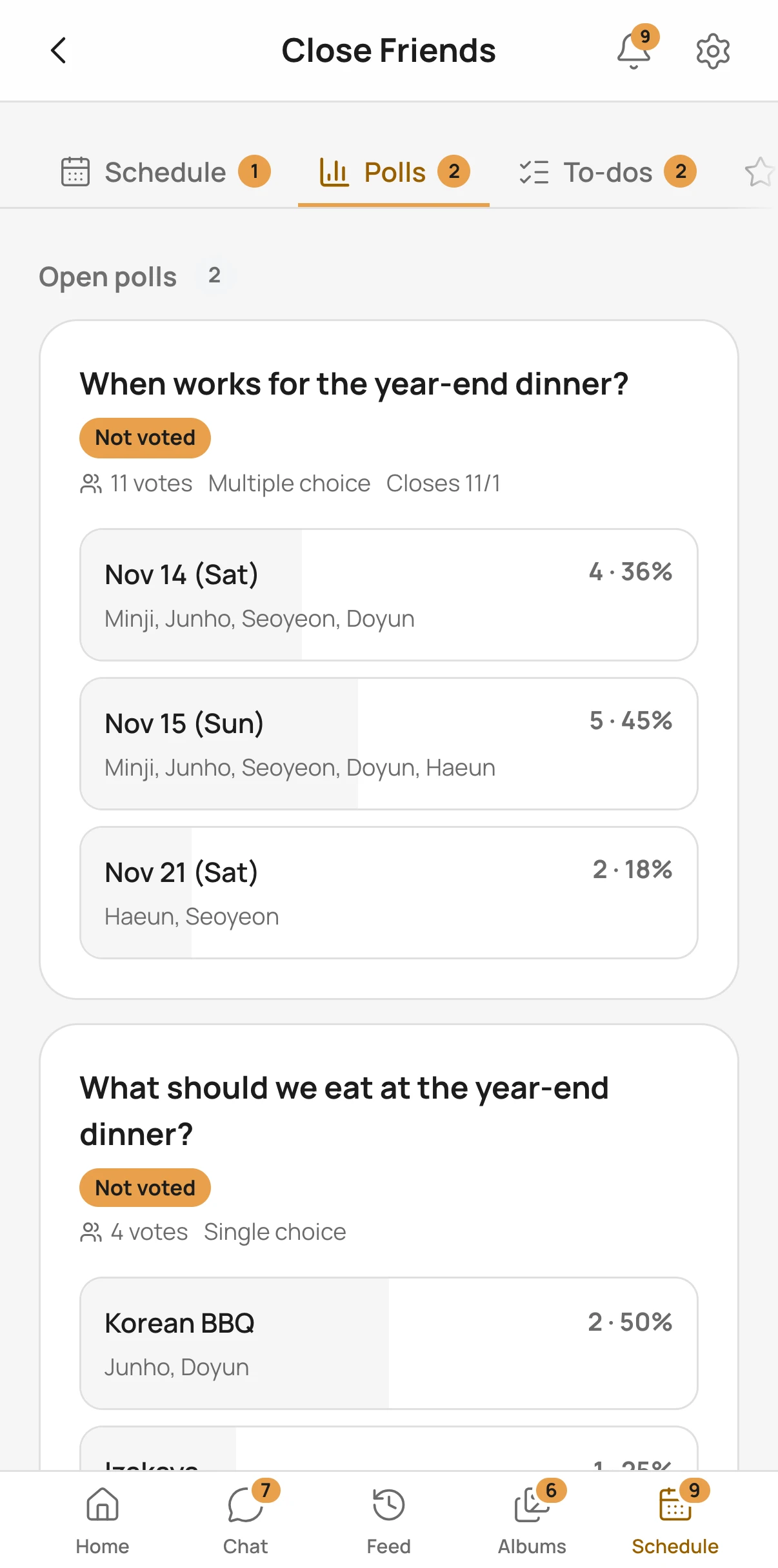
Polls
Single or multiple choice with a deadline — anonymous too
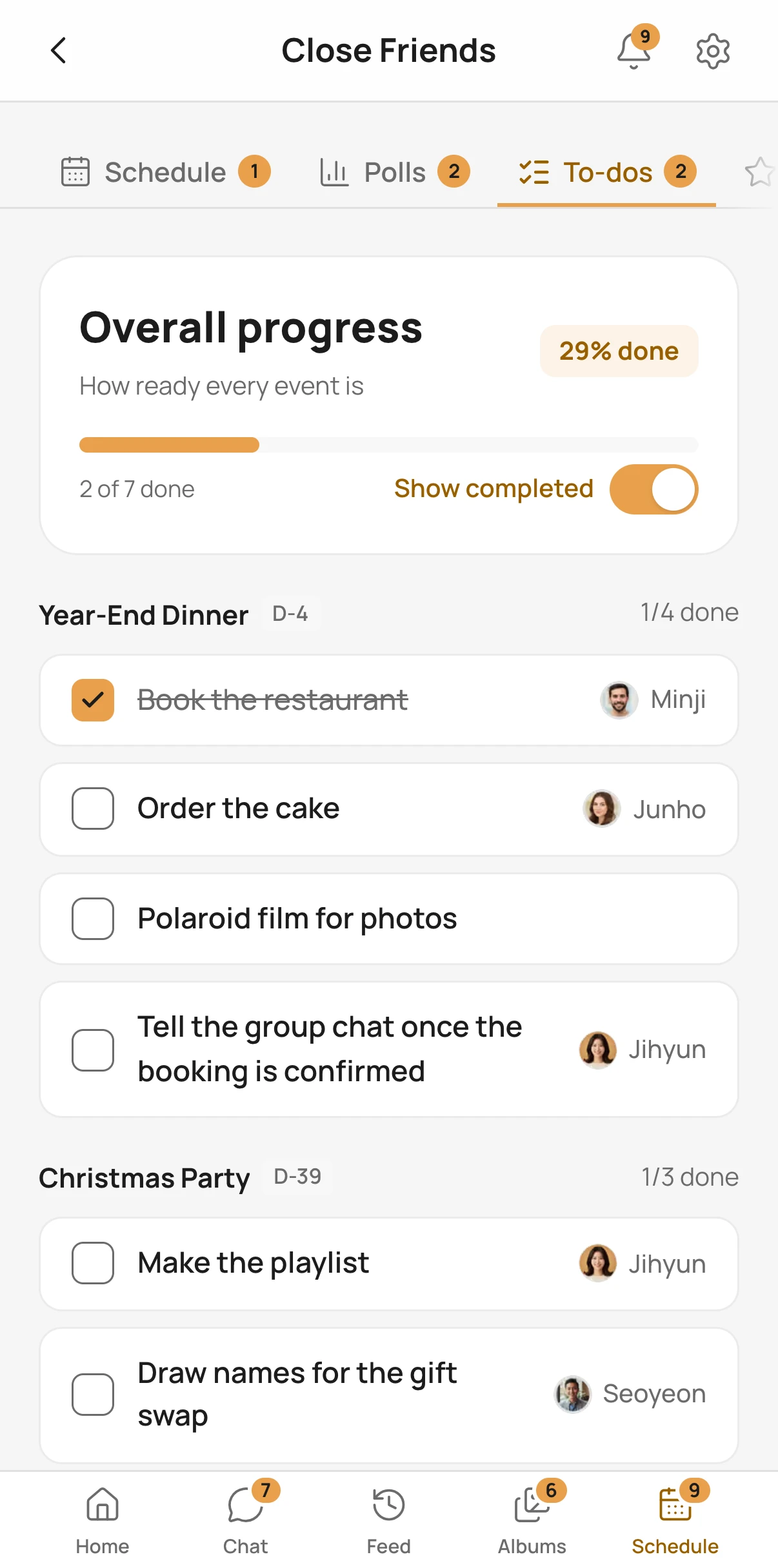
To-dos
Split the prep for each plan and assign who does what
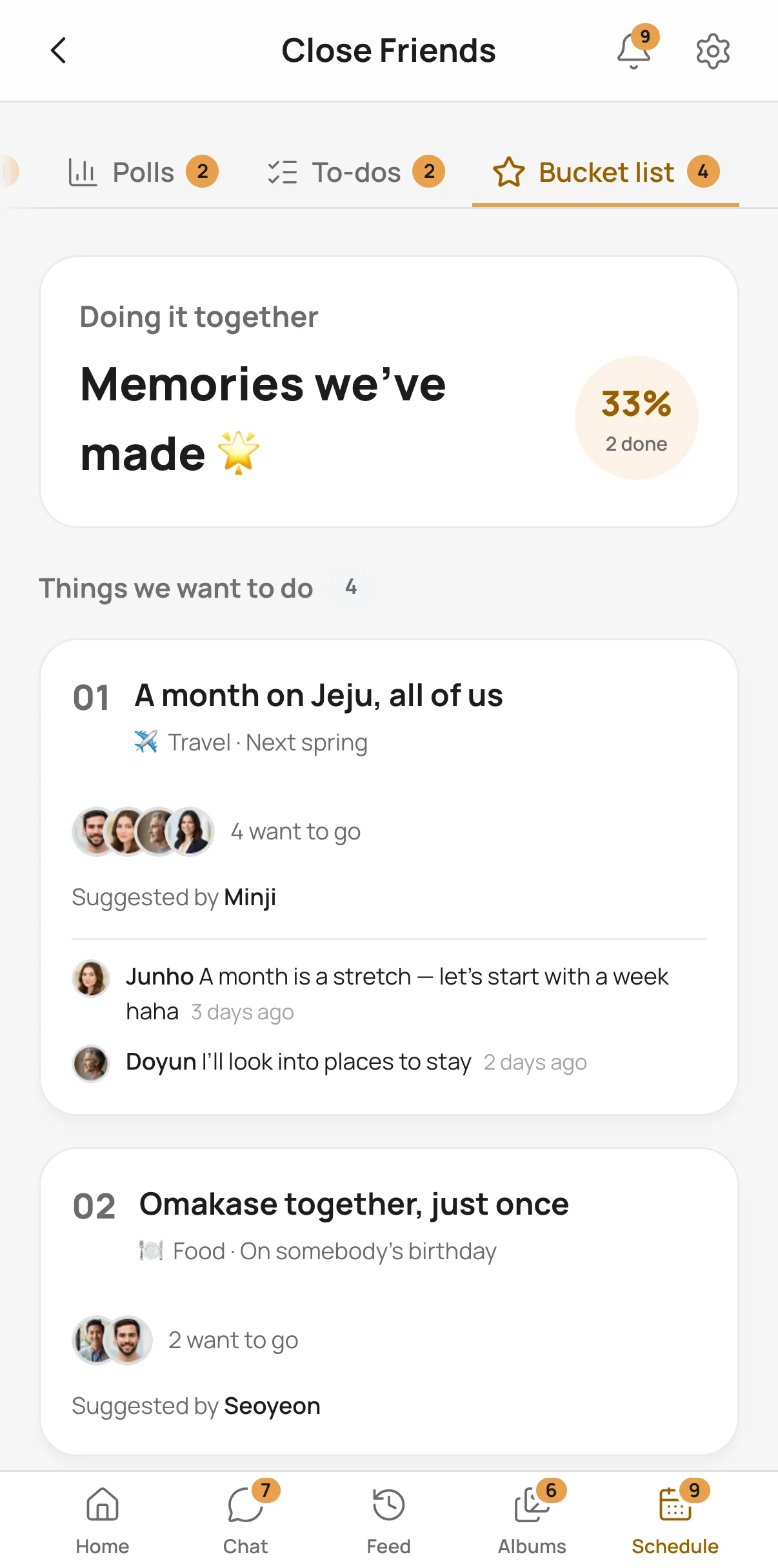
Bucket list
Collect what you want to do together, and tick it off
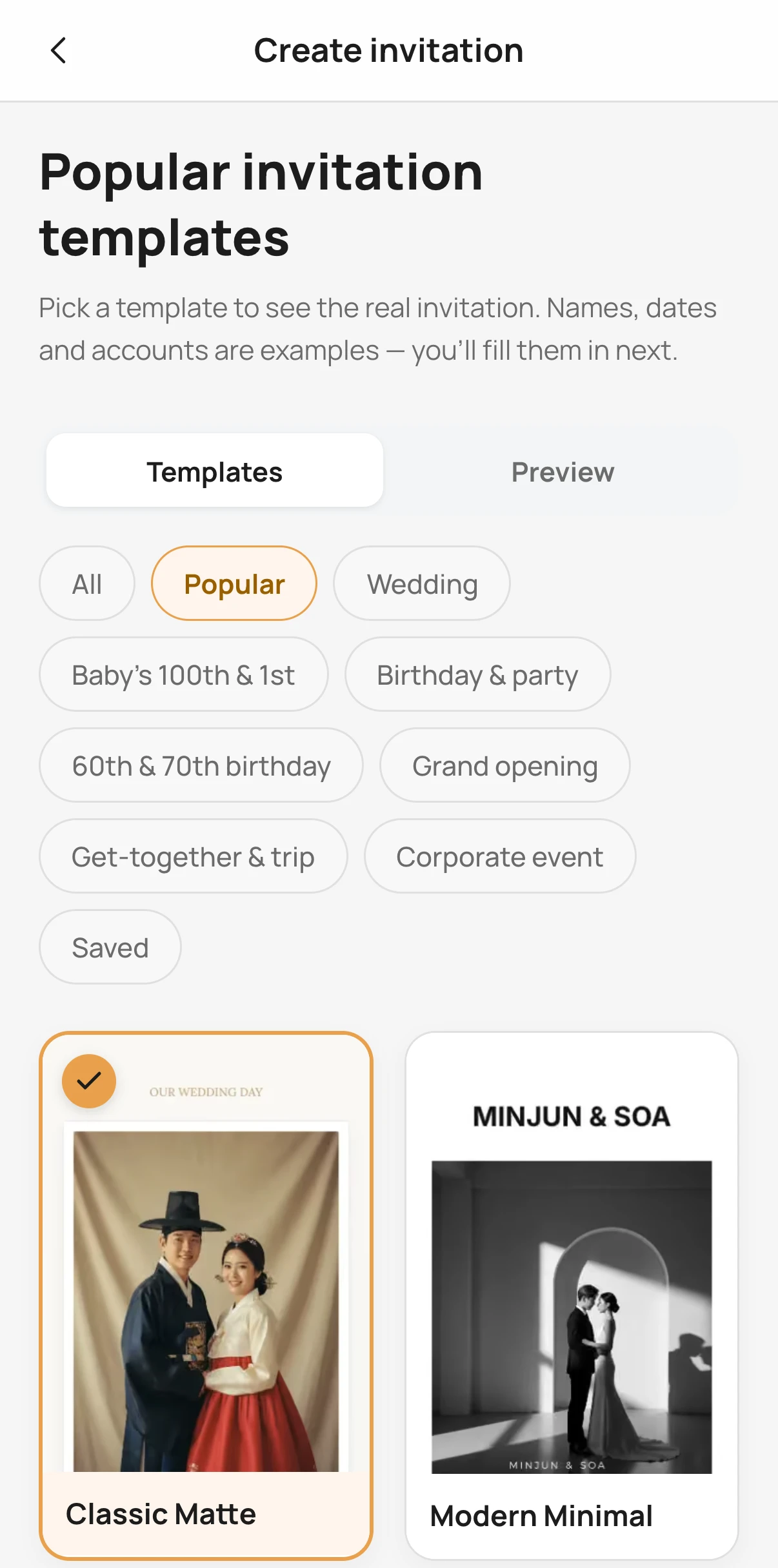
135 invitations
Weddings, first birthdays, parties and meetups — guests reply without signing in
See all invitation templates →
One minute to get started
- 1Make a groupTrip, family or friends — just name it
- 2Invite with a linkDrop one link in the chat; friends join with one social sign-in
- 3Add and look togetherPhotos, plans and polls in one place
Frequently asked questions
Groups, invitations, plans, polls and chat are free, and every group's free album takes up to 500 photos for free. The album you make for each meetup uses an album pass (300, 1,000 or 3,000 photos), which keeps the originals for 5 years.
No. Friends invited by link can take part on the web. To add photos they join the group with one social sign-in. With the app they also get notifications.
Photos go up as originals. Albums with a pass keep the originals for 5 years from the day you pay. The free album keeps originals for as long as each photo shows there — a year from when it's added.
It doesn't show up in search. Only people who get a share link from a member can look around the group's albums, photos and plans without signing up — liking, commenting, uploading and saving need them to join. Chat and the map of where photos were taken are members only.
Yes. Group members save anyone's photos at original quality, several at once. In the app, saved photos go straight into your phone's photo library.
Yes, in the app's Library. Faces in your phone's photos are grouped person by person, and tags from what's in the photo and where it was taken — like Travel, Beach or Birthdays — let you find them. Analysis happens on your phone only; faces, tags and locations aren't sent to our servers.
No. Deleting in the Library removes photos from your phone's photo app. They go to the phone's trash, where you can restore them within 30 days, and the photos you added to group albums stay as they are.
You can remove your own photos any time, no approval needed. They stay in the trash for 15 days before they're deleted, so you can bring them back until then.
Next time, the photos gointo one album from the start.
Make it now and just drop the link in your group chat.